How to make a Minecraft texture pack
A Minecraft texture pack swaps the game’s pictures (blocks, items, mobs, the sky and the menus) for your own. Java Edition calls texture packs resource packs: a .zip with a pack.mcmeta file and PNG images at the same paths as the originals. Bedrock uses .mcpack files with a manifest.json. You can make either in your browser in a few minutes.
Step 1 — Create the pack and pick your version
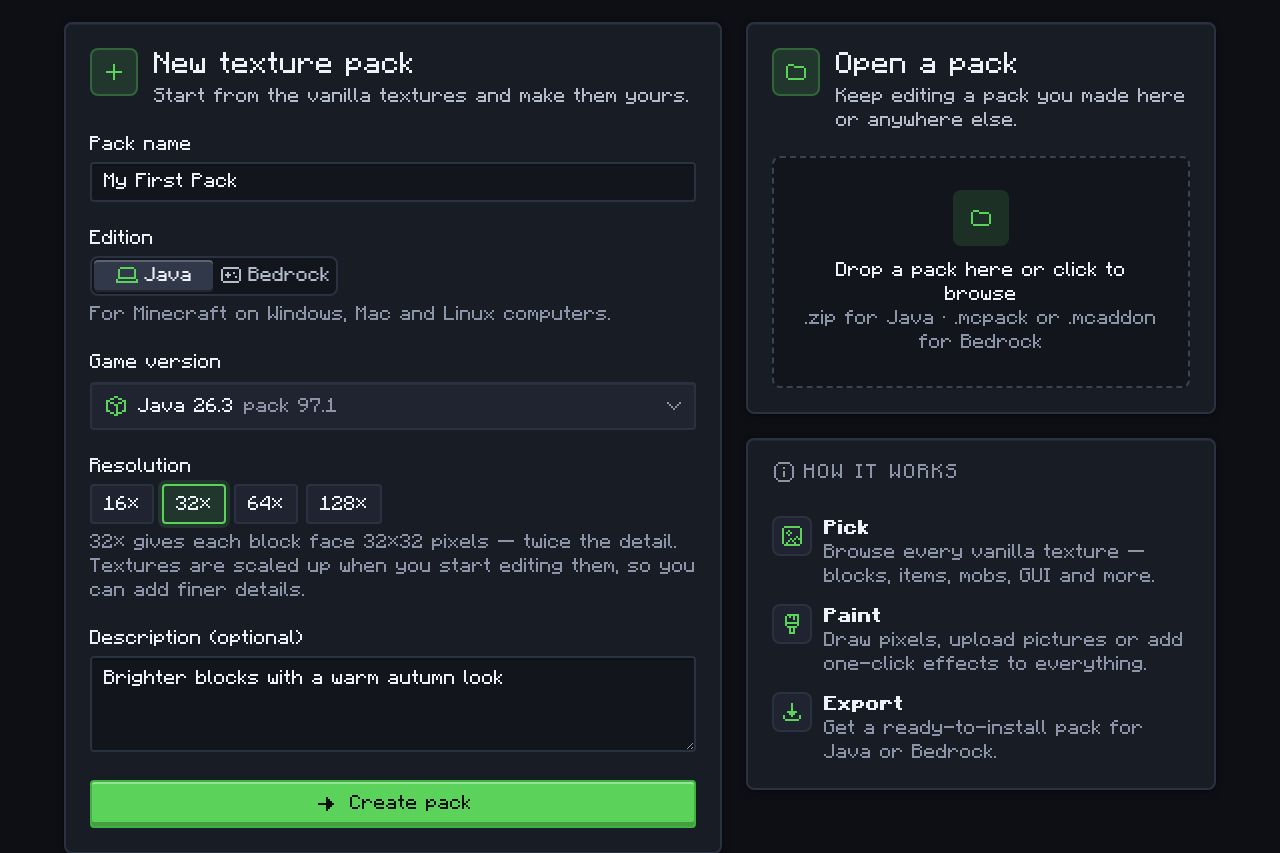
Open the Texture Pack Maker, name your pack and choose Java or Bedrock, the game version you play and a resolution, then click Create pack.
- Edition: Java Edition (PC, Mac and Linux from the Minecraft Launcher) or Bedrock Edition (Windows, phones, tablets and consoles). The two need different files, so make one project per edition. Which one do I have?
- Version: Java 26.3 is selected by default; every release back to 1.6.1 works, so you can make a pack for 1.21.11, 26.2 or 1.8.9 just as easily. The pack gets the right
pack.mcmetafor that version. - Resolution: 16× is the vanilla look (16×16 pixels per block face). 32× and 64× leave room for more detail; 128× and up are for realistic packs.
Your browser then downloads that version’s original textures straight from Mojang and keeps them on your device, so the next pack starts instantly.
Step 2 — Find and repaint textures
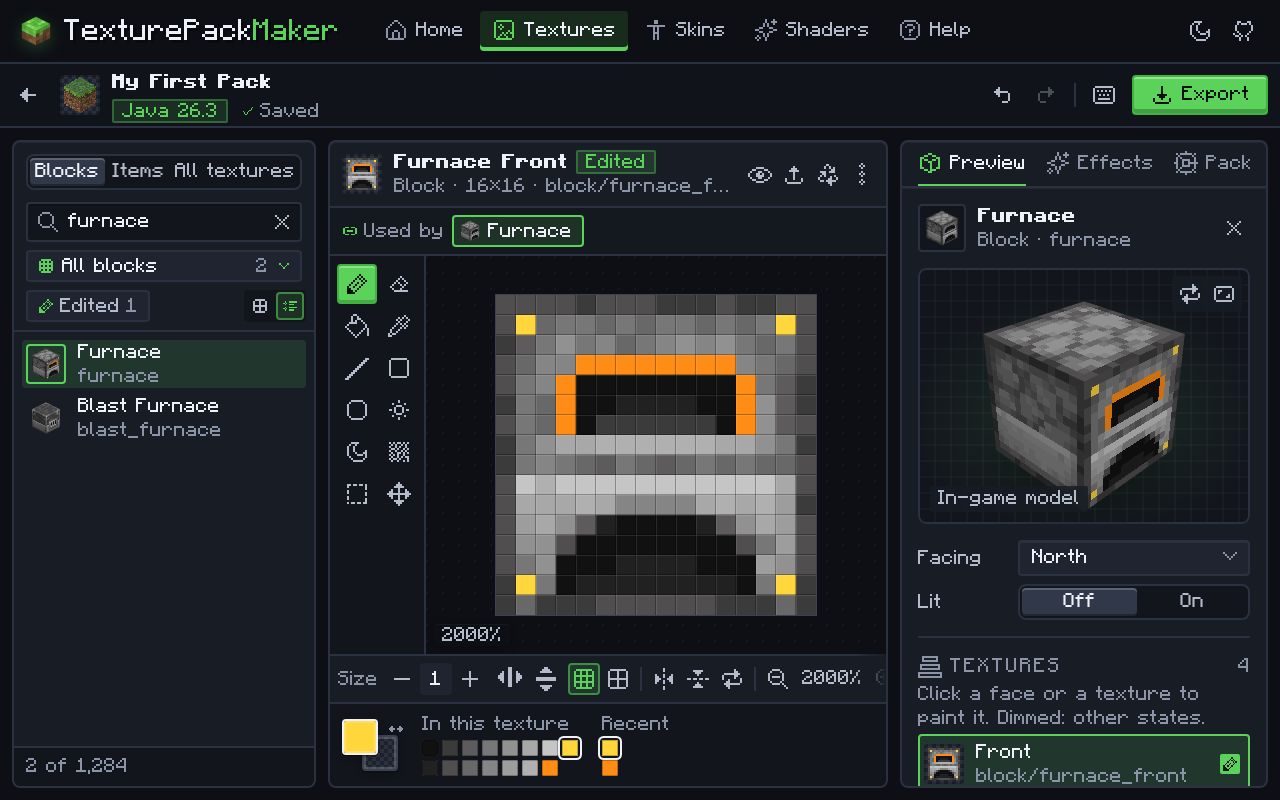
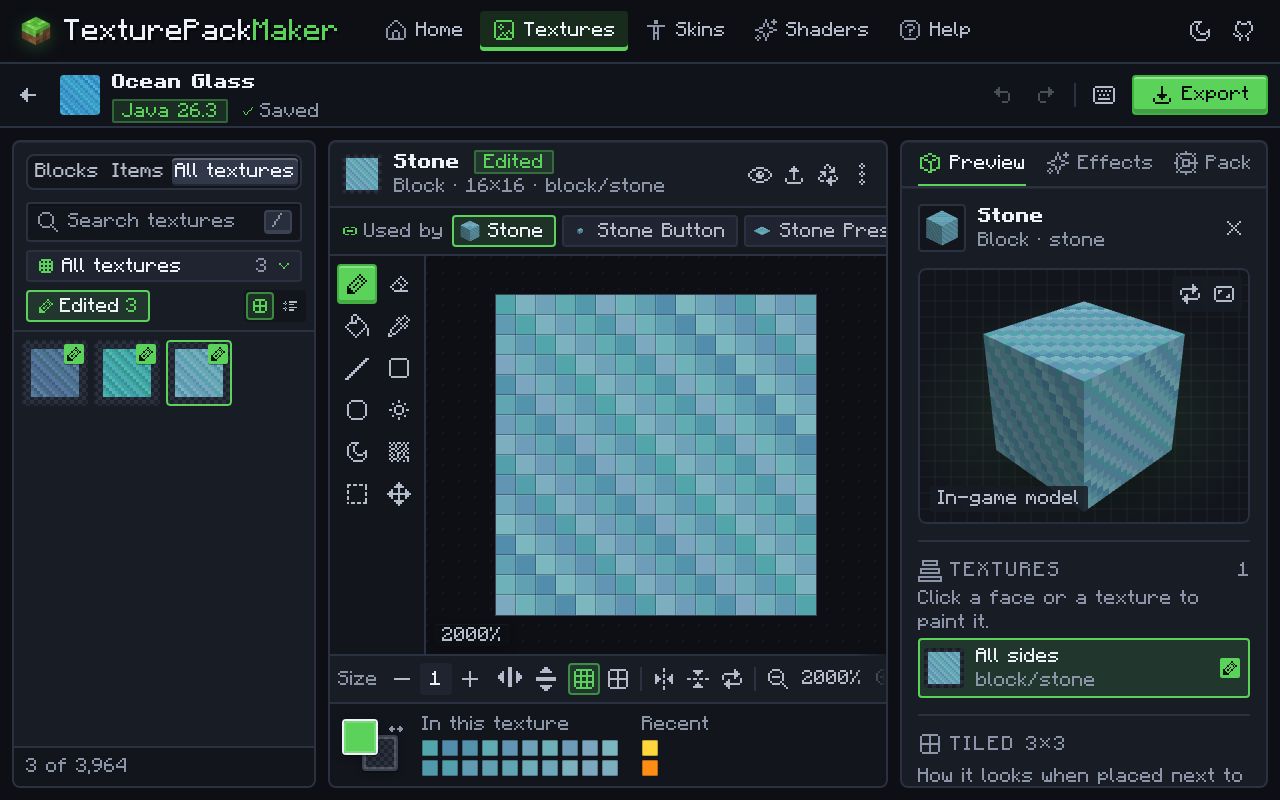
Find a texture with the search box or the categories and repaint it in the pixel editor, or upload your own PNG.
Every texture is shown on its real 3D model: a furnace shows its front, sides and top, stairs and slabs show their shape, and mobs show their body parts. Paint with the pencil, fill, line, shapes, noise and colour picker, mirror your strokes, and undo anything. The tiled preview shows how a block repeats across the ground, so seams do not show.
- Start with blocks you see all the time: grass, dirt, stone, logs and planks.
- Grass, leaves, vines and water are stored in grey and coloured by the game per biome. Keep them light grey.
- Animated textures, such as water, lava and sea lanterns, can be edited frame by frame.
Step 3 — Restyle the whole pack in one click (optional)
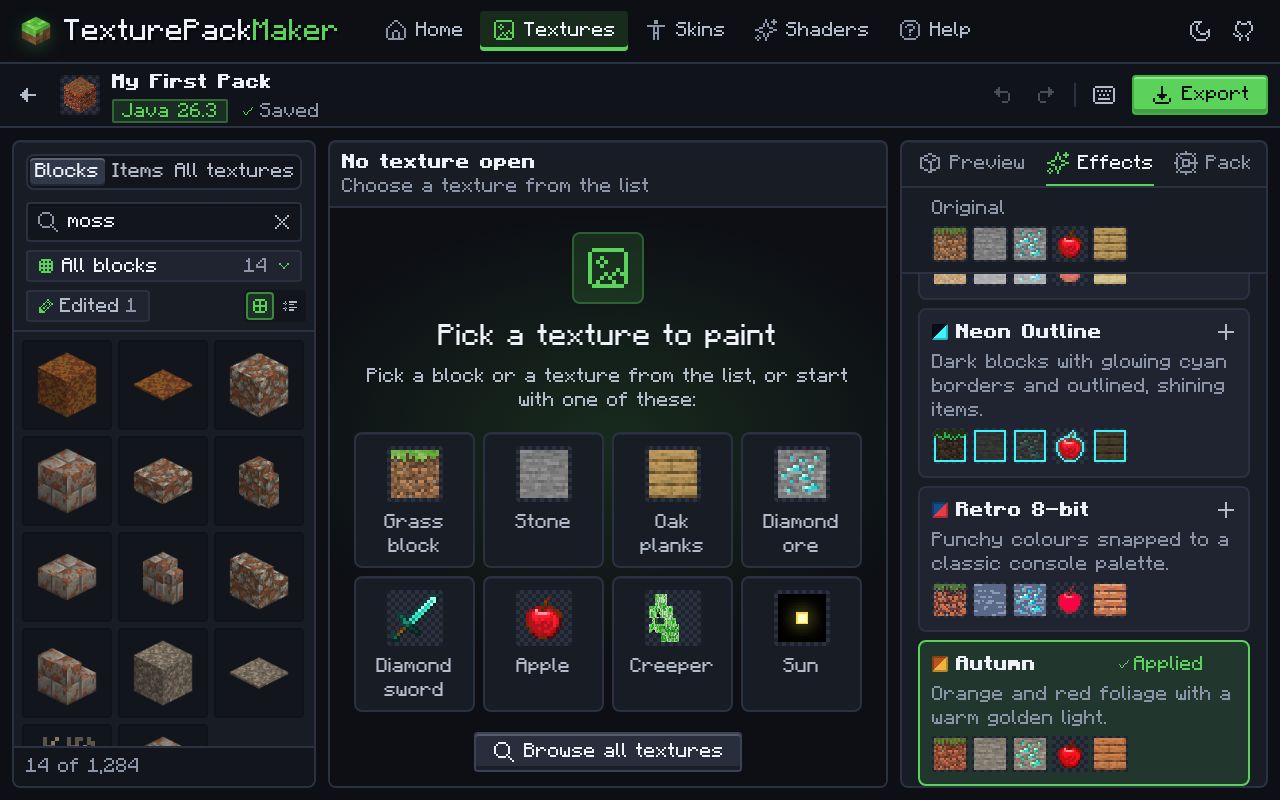
Optional: restyle the whole pack with one-click effects such as Dark Mode, Pastel or Retro 8-bit.
Effects stack on top of each other and on top of your own painting without changing it, and are applied to every texture when you export. Combine Autumn with Smooth HD, or Dark Mode with a Neon Outline, then keep painting by hand.
Step 4 — Add an icon and description, then export
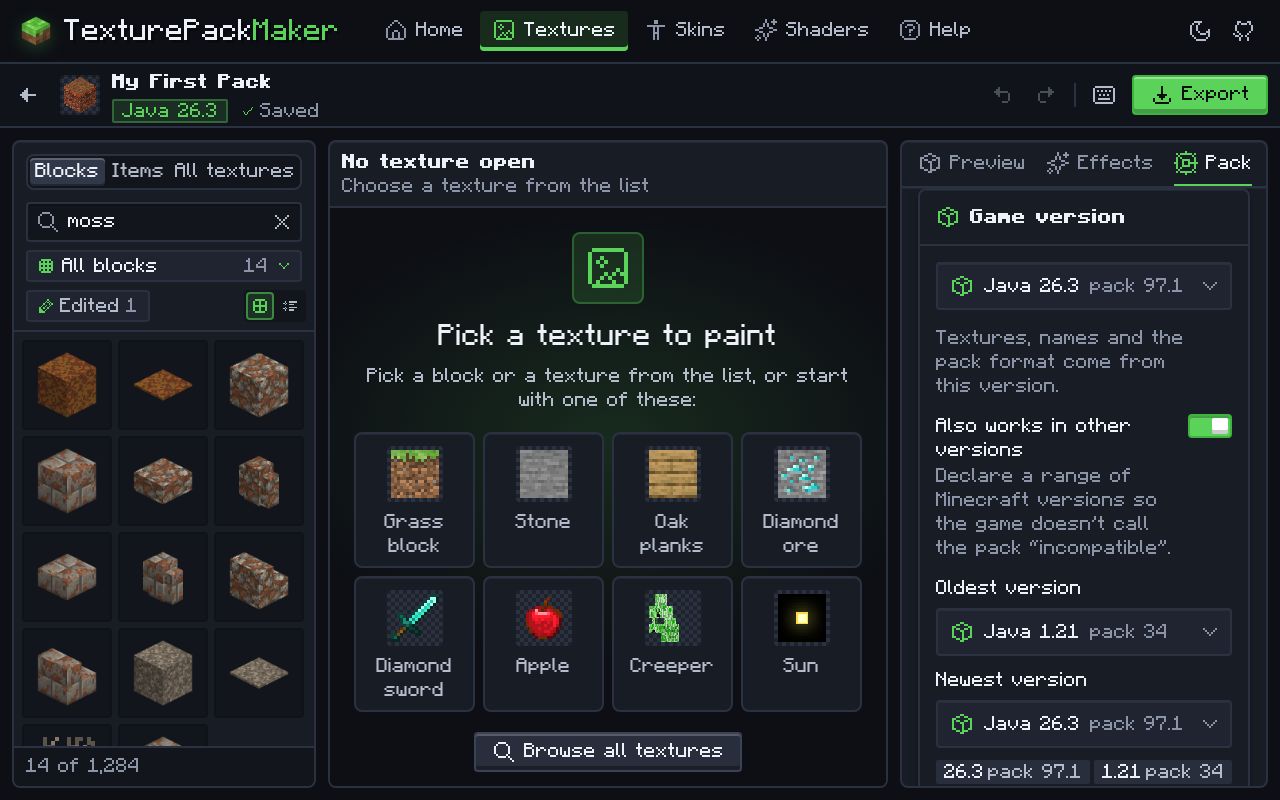
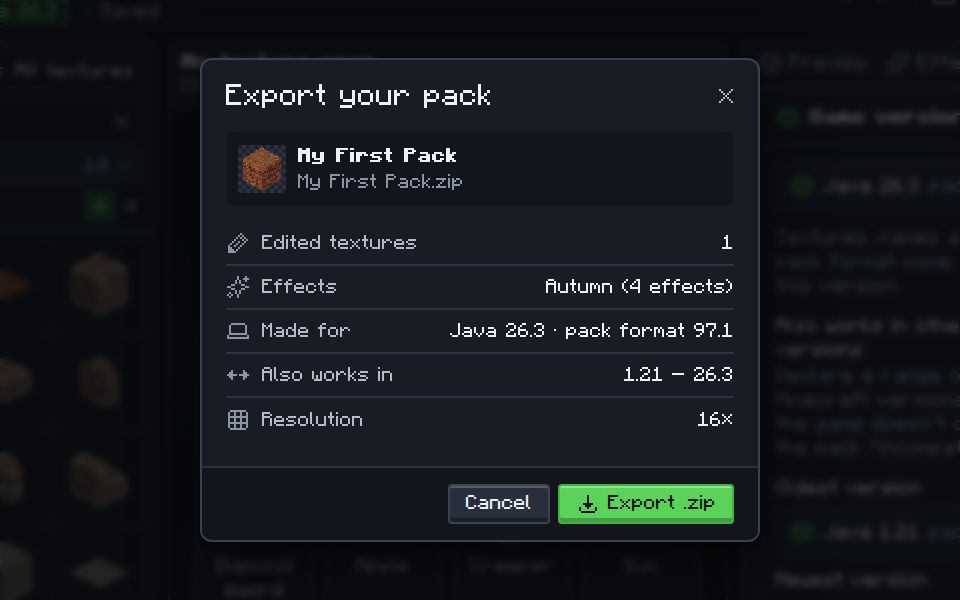
Open the Pack tab to set the description and icon, then export a .zip (Java) or an .mcpack (Bedrock).
On Java you can also choose a compatibility range, so one pack loads on several versions without the “made for an older version” warning. The export writes every file the game needs: pack.mcmeta and pack.png on Java, or manifest.json with fresh unique IDs and pack_icon.png on Bedrock.
Step 5 — Install and test it
Install the pack in Minecraft and test it. How to install it.
- Java: open Options… > Resource Packs… > Open Pack Folder, drop the
.zipin (keep it zipped) and move the pack to Selected. Press F3 + T in game to reload after changes. - Bedrock: open the
.mcpack, then activate it under Settings > Global Resources.
Something looks wrong? Texture pack not working: fixes.
What is inside a texture pack?
Java Edition (.zip)
pack.mcmetaat the root of the zip (required): the pack’s description and the game versions it is made for.pack.png(optional): the icon in the pack list. Minecraft’s own is 128×128 and it is drawn at 32×32.assets/minecraft/textures/…: your images, with the same folders and file names as the originals, for exampleassets/minecraft/textures/block/stone.png. Versions before 1.13 use the foldersblocksanditemsinstead ofblockanditem.- Animated textures have a matching
.png.mcmetafile next to the image.
Bedrock Edition (.mcpack)
manifest.jsonat the root (required): the name, two unique IDs, a version number that goes up with every update, and the oldest game version the pack supports ("min_engine_version": [1, 21, 0]by default here).pack_icon.png(optional): the pack’s icon.- Textures under
textures/, for exampletextures/blocks/stone.png. Some vanilla textures are.tgafiles; keep the same name and extension as the original.
Folder layout side by side
Java: MyPack.zip
├── pack.mcmeta
├── pack.png
└── assets/minecraft/textures/
    ├── block/stone.png
    └── item/diamond_sword.png

Bedrock: MyPack.mcpack
├── manifest.json
├── pack_icon.png
└── textures/
    ├── blocks/stone.png
└── items/diamond_sword.png| Java pack.mcmeta | Bedrock manifest.json | |
|---|---|---|
| Required | Yes, at the top of the zip | Yes, at the top of the .mcpack |
| Identifies the pack by | Its file or folder name | Two unique IDs (UUIDs) |
| Game version | Pack format numbers (26.3 uses 97.1) | min_engine_version, the oldest game version supported |
| Updates | Replace the file | Raise the version number, keep the IDs |
The pack.mcmeta file (Java)
This file tells Minecraft which versions the pack is for. The format number changes with almost every update: Java 26.3 uses resource pack format 97.1. A pack made only for 26.3 looks like this:
{
  "pack": {
    "description": "My pack for Minecraft 26.3",
    "min_format": [97, 1],
    "max_format": 97
  }
}
Since 1.21.9 packs name a range with min_format and max_format. A pack that also has to load on older versions needs pack_format and supported_formats as well. The Texture Pack Maker writes the right combination for the version and range you choose. See every version’s pack format.
Making a texture pack by hand
You can also build a pack yourself with any image editor. It takes longer, but it shows how a pack works:
Java Edition
- Find the original textures: copy
versions/<version>/<version>.jarfrom your.minecraftfolder, rename the copy to.zipand open it. The images are inassets/minecraft/textures. - Make a new folder for your pack with a
pack.mcmeta(see below) and the sameassets/minecraft/textures/…folders as the originals. - Copy in only the PNGs you want to change and edit them, keeping their names and sizes in proportion (16×16, 32×32 and so on).
- Zip the contents of the folder, not the folder itself, so
pack.mcmetasits at the top of the zip. Drop the zip intoresourcepacks.
Bedrock Edition
- Get the original textures from Mojang’s bedrock-samples repository (
resource_pack/textures). - Make a folder with a
manifest.jsonholding two new unique IDs (UUIDs) and your edited images undertextures/. - Zip the folder’s contents and rename the file from
.zipto.mcpack, then open it to import.
Tips for a good pack
- Start small: repaint a few blocks you see all the time (grass, dirt, stone, wood) and test in game before doing everything.
- Keep the resolution the same across the pack. Mixing 16× and 64× textures looks uneven.
- Use the 3D block preview to check how the sides of a block line up.
- Use the tiled preview for blocks that repeat, so seams do not show.
- Put your pack at the top of the Selected list. Packs higher in the list win.
Questions
Does one texture pack work on Java and Bedrock?
No. The two editions use different files and folders. Make one project for each edition; you can export the same artwork twice. Java vs Bedrock packs.
Do I need to install any software?
No. Texture Pack Maker runs in your browser on a computer, phone or tablet, and nothing is uploaded.
Can I change an existing texture pack?
Yes. In the Texture Pack Maker choose Open a pack and pick a .zip or .mcpack. You can keep editing it and export again.
Do I need to know how to code to make a texture pack?
No. A texture pack is images plus one small description file, and the Texture Pack Maker writes that file for you. You only need to paint.
How do I make a texture pack for an older version, like 1.21.11 or 1.8.9?
Pick that version when you create the pack. The maker loads that version’s own textures and folder names and writes its pack format. Pack formats of every version.
Where do I find the original Minecraft textures?
Inside the game’s .jar file for Java (assets/minecraft/textures) and in Mojang’s bedrock-samples repository for Bedrock. The Texture Pack Maker loads them for you from Mojang when you pick a version.
Can I make a texture pack on my phone?
Yes. The Texture Pack Maker works in the browser on Android, iPhone and iPad as well as on computers and Chromebooks. On Bedrock, open the exported .mcpack and Minecraft imports it.
How long does it take to make a texture pack?
A few minutes for a small pack that changes a handful of blocks, or for a whole-pack effect such as Dark Mode. A complete hand-painted pack with hundreds of textures can take weeks; you can export and test it at any point along the way.
What resolution should my texture pack be?
16× matches the vanilla game and is the quickest to paint. 32× and 64× leave room for more detail; 128× and up are for realistic packs and need a stronger computer. Keep one resolution across the whole pack.