Minecraft texture pack editor & resource pack creator
Make a Minecraft texture pack online: repaint any block, item or mob on its real 3D model using the textures of the version you play, then download a resource pack Minecraft loads straight away. It works for Java Edition (26.3 and every version back to 1.6.1) and Bedrock Edition, it is free and nothing is uploaded.
What you can do
- Every vanilla texture of the version you pick, with search and categories.
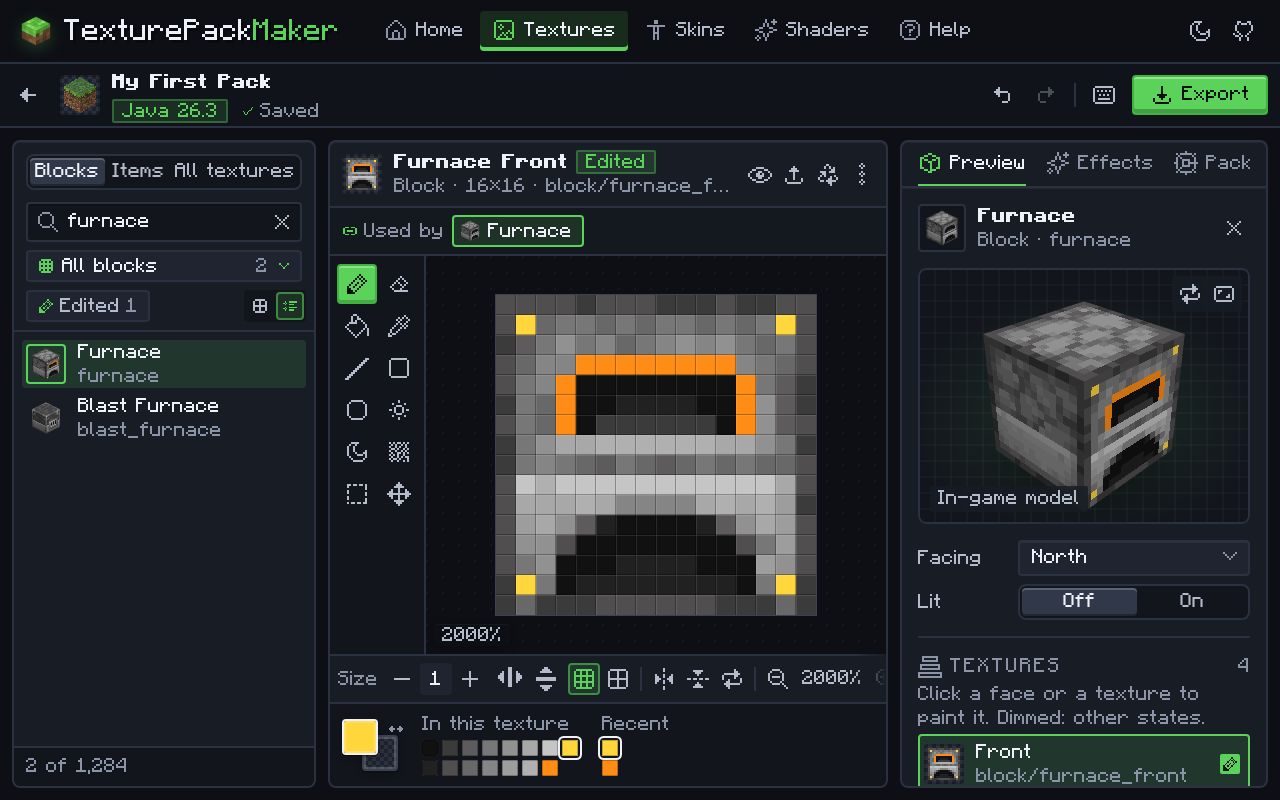
- A full pixel editor: pencil, eraser, fill, eyedropper, line, shapes, noise, selection, mirror painting and undo/redo, with tiled preview and zoom.
- Upload your own PNGs (auto-resized to the texture, 16x up to 512x) and edit animated textures frame by frame.
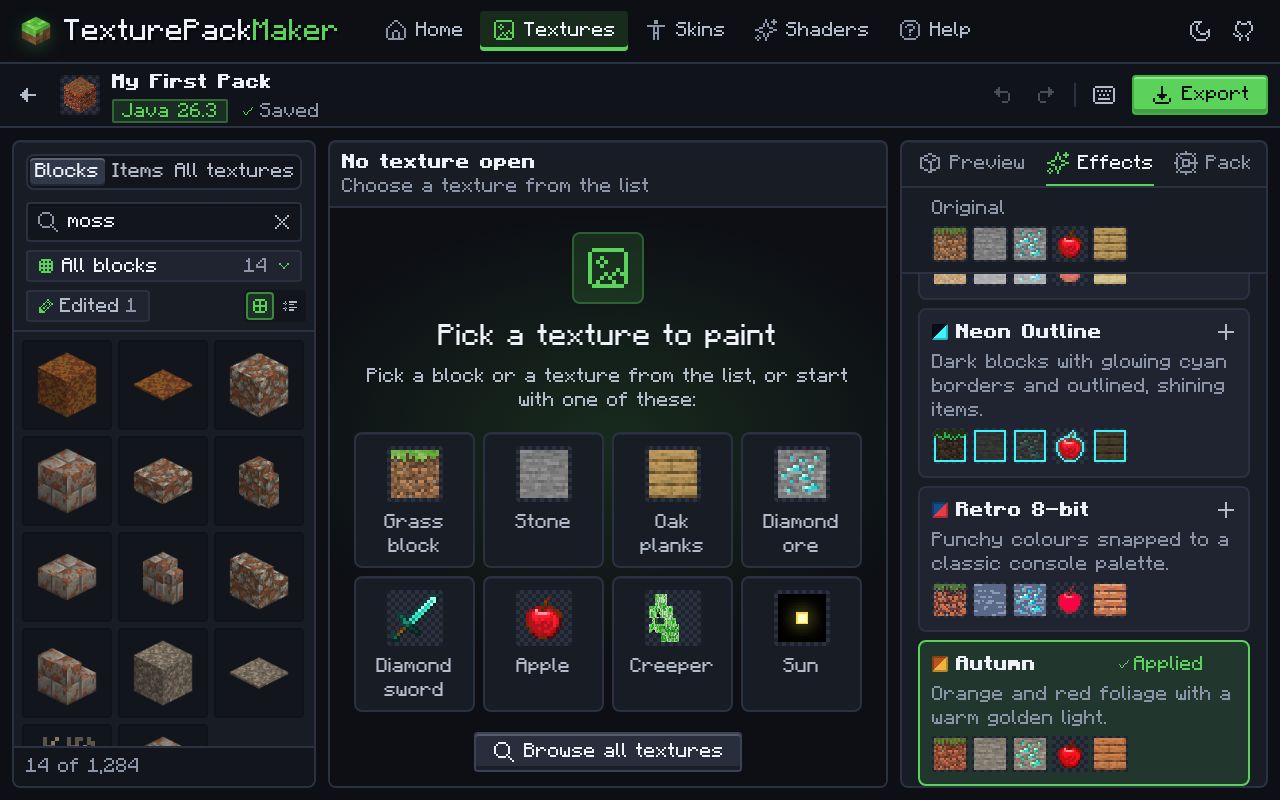
- One-click whole-pack effects such as Dark Mode, Pastel, Neon Outline, Retro 8-bit, Autumn, Winter, Noir, Cartoon and Smooth HD, stacked without changing your own edits.
- Open an existing
.zipor.mcpackand keep editing. - A 3D block preview, pack icon, description and a Java compatibility range.
- Exports a
.zipwith the exactpack.mcmetarules of your Java version, or a Bedrock.mcpack.
How to make a texture pack here
- Choose Java or Bedrock and a version. Java 26.3 is selected by default.
- Your browser downloads that version’s textures straight from Mojang and keeps them on this device for next time.
- Pick a texture from the list and paint it, or upload your own image.
- Add effects, a pack icon and a description if you like.
- Export. On Java, put the
.zipin theresourcepacksfolder; on Bedrock, open the.mcpackto import it.
Questions
Which Minecraft versions can I make a texture pack for?
Java 26.3 is the default, and every Java release back to 1.6.1 (the first version with resource packs) works, plus snapshots if you switch them on. For Bedrock you can use the latest release, the latest preview and older versions.
What pack format does Java 26.3 use?
Resource pack format 97.1. Since 1.21.9 a pack declares min_format and max_format in pack.mcmeta instead of a single number; the maker writes the right fields for the version you choose. Formats of every version.
Is a texture pack the same as a resource pack?
Yes, for textures. Java Edition renamed texture packs to resource packs in 1.6.1, because they can also change models, sounds, fonts and shaders. This editor makes the texture part and writes the files every resource pack needs.
Do I need Photoshop or another image editor?
No. The pixel editor has everything a texture needs: pencil, fill, shapes, colour picker, noise, selection, mirror painting and animation frames. If you prefer your own editor, upload the PNG instead.
Can I make an HD texture pack?
Yes. Pick a resolution from 16× (the vanilla look) up to 512× when you create the pack. Uploaded images are resized to fit, and the one-click Smooth HD effect upscales every texture at once.
Can I make a texture pack on a phone, tablet or Chromebook?
Yes. The editor runs in any modern browser, with touch painting and zoom, and nothing to install. Bedrock players on phones can open the exported .mcpack straight in Minecraft.
Can I edit a texture pack I already have?
Yes. Choose Open a pack and pick a Java .zip or Bedrock .mcpack. The edition and version are detected from the pack.
Why are some blocks purple and black in my pack?
The purple-and-black checkerboard is Minecraft’s “missing texture”: a model points to an image that is not where it expects. It happens with renamed files, a wrong folder, or a pack made for a different version. Packs exported here keep the exact vanilla paths of the version you picked. Fix a pack that is not working.
Do I need to unzip the download?
No. On Java, put the .zip in the resourcepacks folder as it is. On Bedrock, open the .mcpack and Minecraft imports it.
Why does Minecraft say my pack is made for an older or newer version?
Java compares the pack format in pack.mcmeta with its own. Export again for the version you play, or widen the compatibility range. Texture-only packs usually still work if you click Yes. Install and troubleshooting guide.