Make Minecraft shaders online
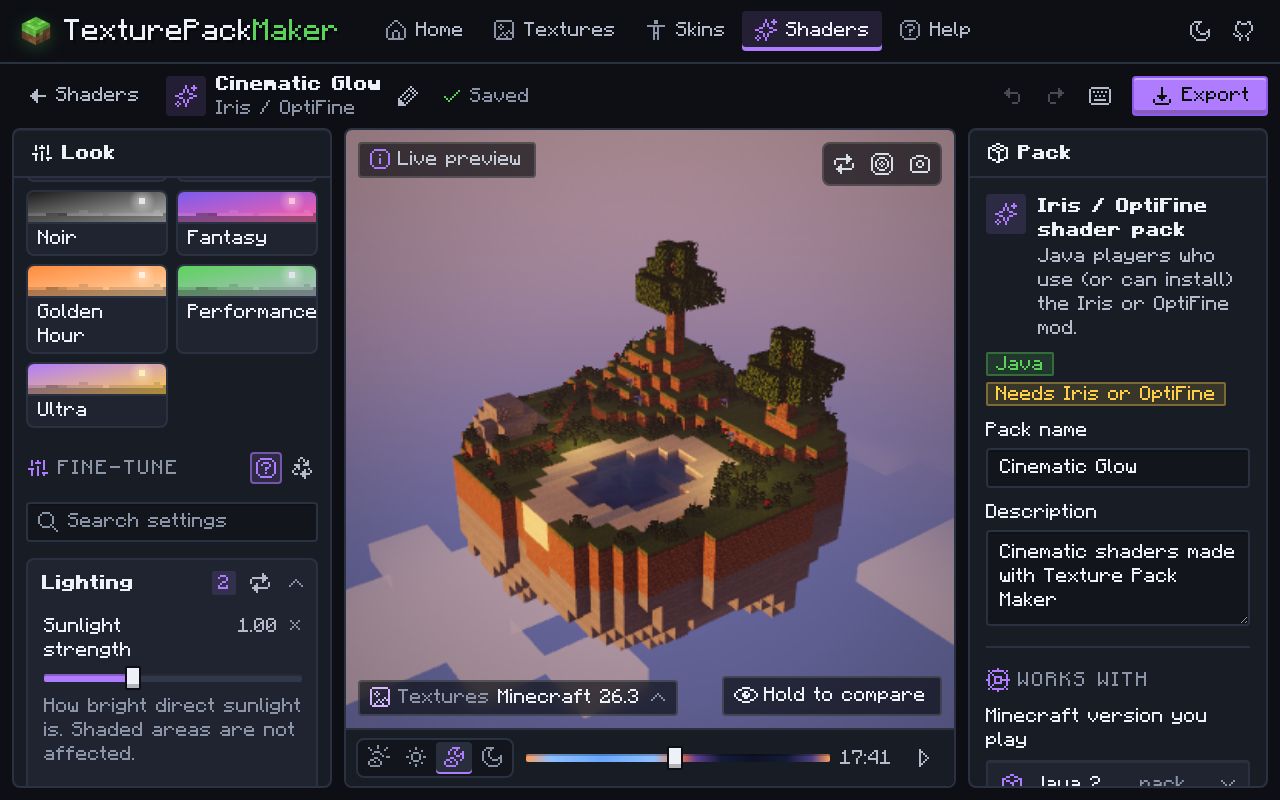
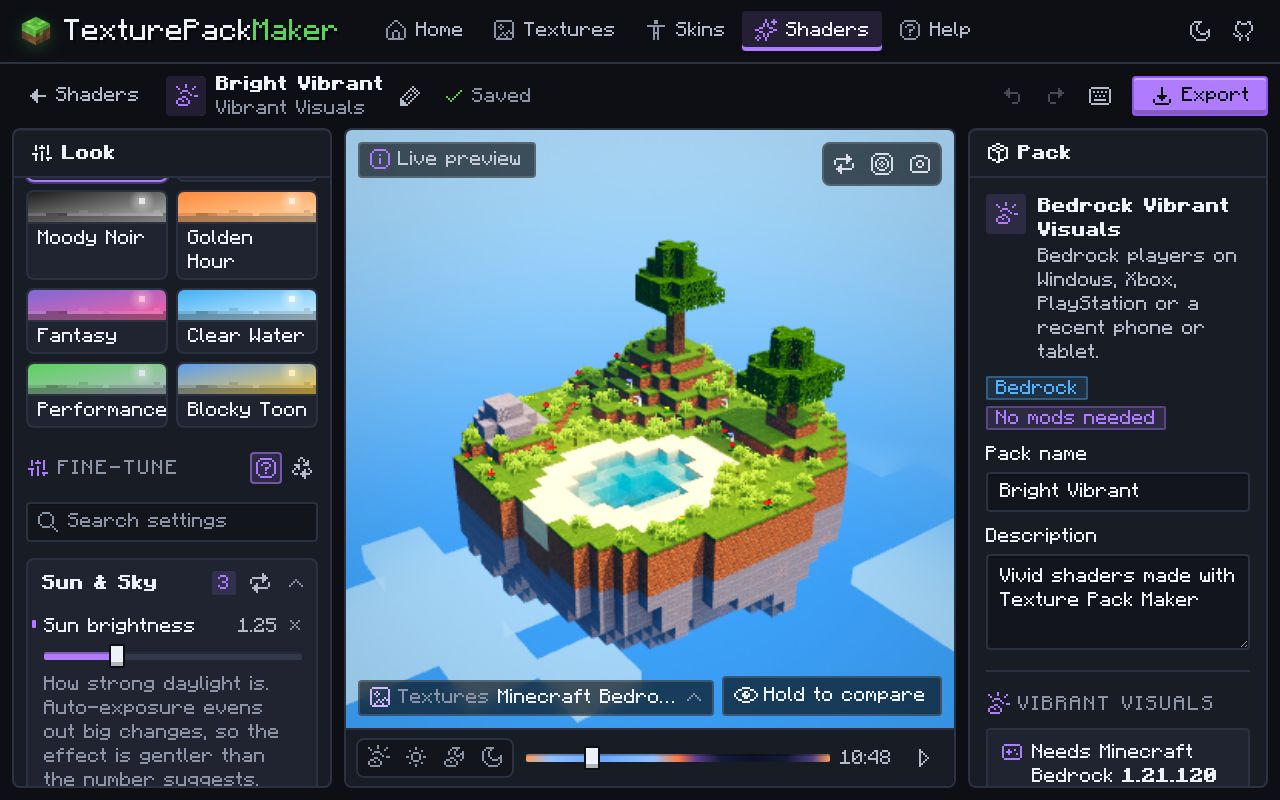
Choose where you play, pick a preset, move a few sliders and watch a live 3D preview with a day and night cycle. Then export a pack that is ready to drop into the game.
What you can do
- Iris / OptiFine shader packs (Java, needs the mod): real shadows, waving plants, water, bloom, god rays, tone mapping and colour grading, all adjustable in game too. Iris covers Java 1.16.5 to 26.3; OptiFine goes up to 26.2.
- Vanilla Java, no mods: a resource pack that patches your version’s own shaders for colour grading, vignette, fog and, on 26.3 and newer, full-screen bloom. Needs Java 1.17 or newer.
- Bedrock Vibrant Visuals: a settings pack for sunlight, sky, fog, water and colour grading on devices that support Vibrant Visuals.
- Presets, grouped sliders and a live 3D preview with a day/night cycle. Every generated shader is compile-checked.
How to make a shader here
- Choose a target: Iris / OptiFine, Vanilla Java or Bedrock Vibrant Visuals.
- Pick a preset as a starting point.
- Adjust lighting, colour, fog and water with the sliders while the preview updates.
- Export a
.zip(Java) or.mcpack(Bedrock). - Install it: shader pack folder for Iris or OptiFine, resource pack folder for vanilla shaders, or open the .mcpack on Bedrock.
Questions
Do I need mods to use shaders?
Only for Iris / OptiFine packs. Vanilla Java shader packs are ordinary resource packs (Java 1.17 and newer), and Bedrock Vibrant Visuals packs work in the normal game. Shaders without mods.
Why did my vanilla shader pack stop working after an update?
Mojang changes the shader files often, so a vanilla shader pack only works on the version it was made for. Open your project, pick the new version and export again.
Can Bedrock use real shader packs?
Not with custom shader code: that stopped working when Bedrock moved to the RenderDragon engine. Vibrant Visuals packs instead tune the built-in lighting, sky, fog, water and colour grading. Vibrant Visuals settings explained.
Iris says it cannot run with Vulkan. What do I do?
Java 26.2 and newer can use an experimental Vulkan renderer, but Iris needs OpenGL. Set Graphics API in Minecraft’s options to Default or Prefer OpenGL.