Can you get Minecraft shaders without mods?
Yes, within limits. You do not need OptiFine, Iris or any other mod for basic shader effects. On Java 1.17 and newer an ordinary resource pack can replace some of Minecraft’s own shader files, so you get colour grading, a vignette, fog changes and, on 26.3, bloom without installing anything. On Bedrock, custom shader code is not allowed, but a Vibrant Visuals pack tunes the built-in lighting, sky, fog and water. Real shadows and reflections on Java still need Iris or OptiFine.
Java: shaders in a resource pack
Since 1.17, Minecraft draws the world with shader files a resource pack can override. What a vanilla shader pack can do depends on the version:
| Effect | Works on |
|---|---|
| Colour grading (brightness, contrast, saturation, warmth, black & white, sepia) | Java 1.17 and newer |
| Vignette | Java 1.17 and newer |
| Fog distance and colour | Java 1.17 and newer |
| Bloom (full-screen glow) | Java 26.3 and newer |
| Waving plants | 1.17 – 1.21.4 and 1.21.6 – 1.21.10 only |
| Real shadows, reflections, god rays | Not possible without Iris or OptiFine |
Java 26.3 added an always-on full-screen effect hook, which is why bloom and cleaner colour grading work there. Versions 1.16.5 and older have no replaceable world shaders.
Make one
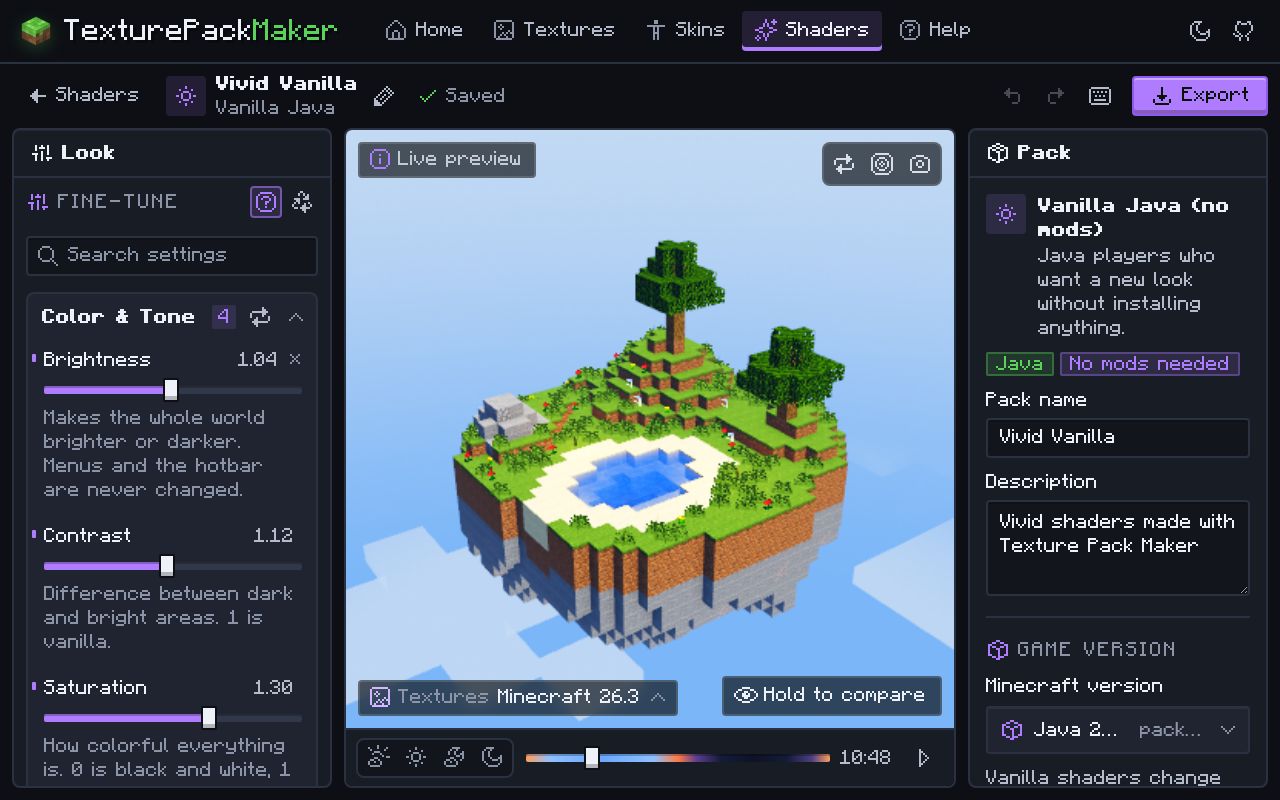
- Open the Shader Maker and choose Vanilla Java.
- Pick the exact Minecraft version you play (Java 1.17 or newer; 26.3 is the default).
- Start from a preset and adjust brightness, contrast, colour, vignette and fog while the preview updates.
- Export the
.zipand install it like any resource pack: Options… > Resource Packs… > Open Pack Folder.
Bedrock: Vibrant Visuals instead of shaders
Bedrock stopped loading custom shader code when it moved to the RenderDragon engine (1.16.200 on Windows and consoles, 1.18.30 on other devices). Tools that swap the game’s compiled shader files need modified game installs and break with updates.
The official way is Vibrant Visuals: Bedrock’s own modern renderer, in the stable game since 1.21.90 (June 2025). A resource pack can change its settings: sun and moon light, sky colours, fog, water, shadows and colour grading, per time of day and per biome. Vibrant Visuals settings explained.
Shaders without OptiFine: use Iris
If “without mods” means “without OptiFine”, the answer is Iris. It loads the same shader packs (real sun shadows, waving leaves, reflective water, god rays), runs alongside the Sodium performance mod, and is available for Java 1.16.5 to 26.3. At the time of writing OptiFine goes up to 26.2.
- Download the Iris installer from irisshaders.dev and run it. It installs Iris and Sodium for the version you choose.
- Start the game once with the new Iris profile in the Minecraft Launcher.
- Open Options… > Video Settings… > Shader Packs…, click Open Shader Pack Folder and drop a shader pack zip into it.
- Pick the pack in the list and click Apply. Lighter packs suit laptops; heavier ones need a strong graphics card.
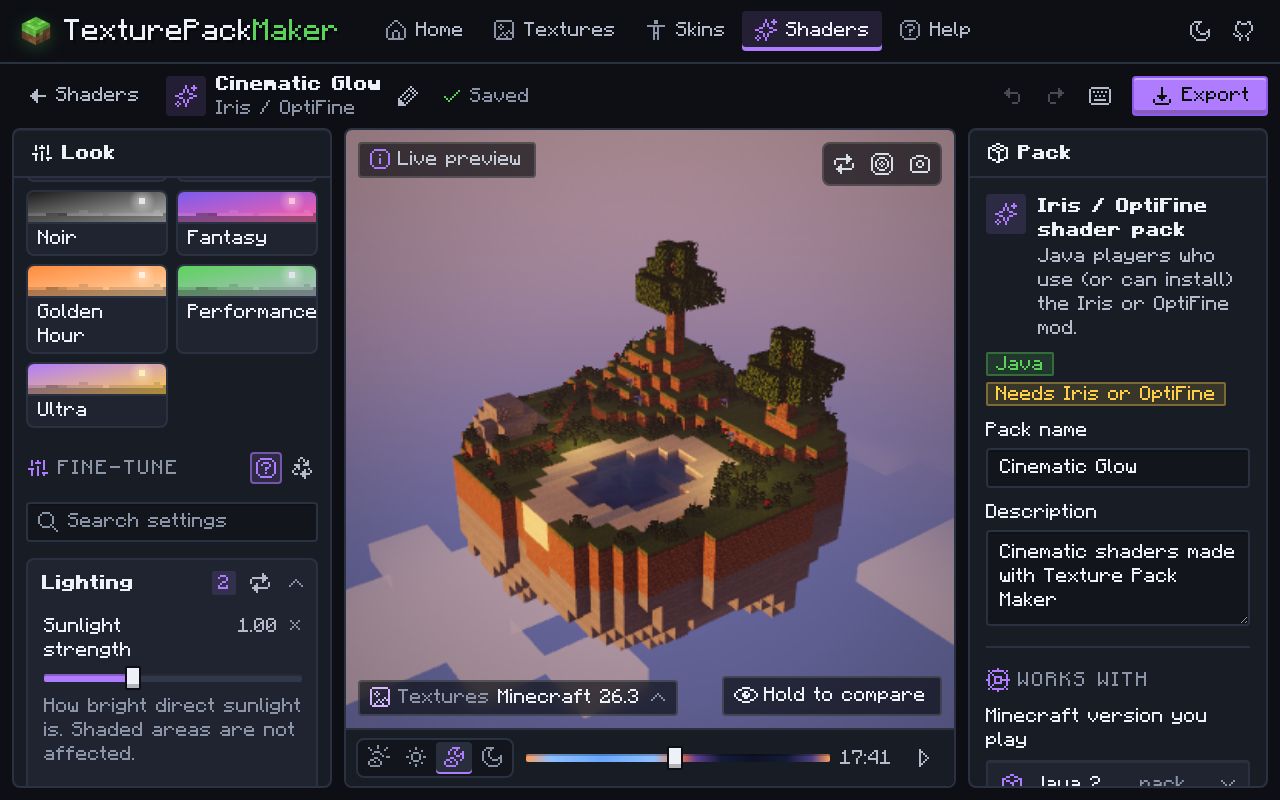
On Forge or NeoForge, look for a port of Iris for that loader. You can also build your own Iris / OptiFine shader pack, with presets and a live preview, in the Shader Maker.
Questions
Is OptiFine needed for vanilla shaders?
No. Vanilla shader packs are normal resource packs. They work without any mod on the version they were made for.
Do vanilla shader packs work on servers?
Yes. Resource packs are applied by your own game, so they also work when you play on a server.
Can I use Java shaders on Bedrock?
No. Bedrock cannot load shader code from packs. Use a Vibrant Visuals pack instead.