Make a custom Minecraft skin or skin pack
Paint your character on the standard skin template while a 3D model updates live, then use it in Java or Bedrock. Free, with no account needed.
What you can do
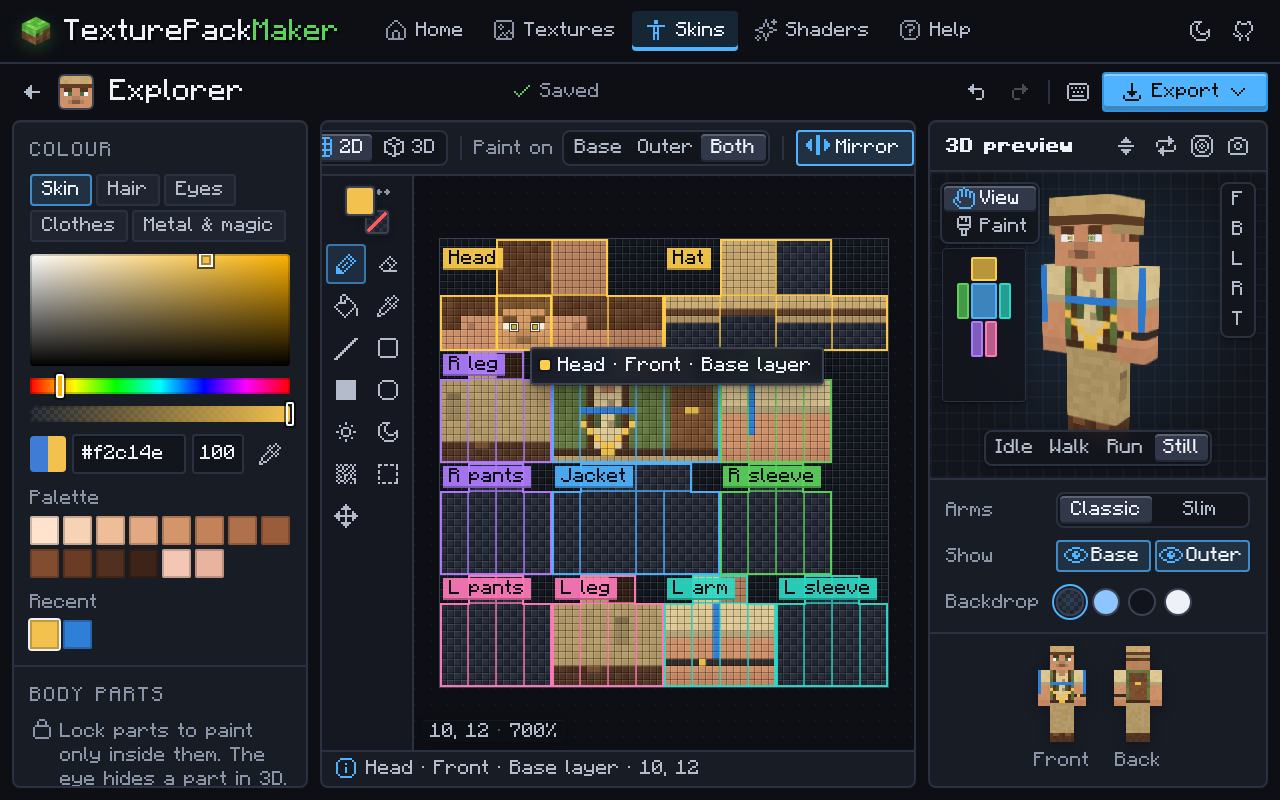
- Paint on the 64×64 template with part outlines and a live 3D preview.
- Classic (4-pixel arms) and slim (3-pixel arms) models.
- True mirroring: paint the left arm and the right arm follows. Lock body parts and edit the base or outer layer on its own.
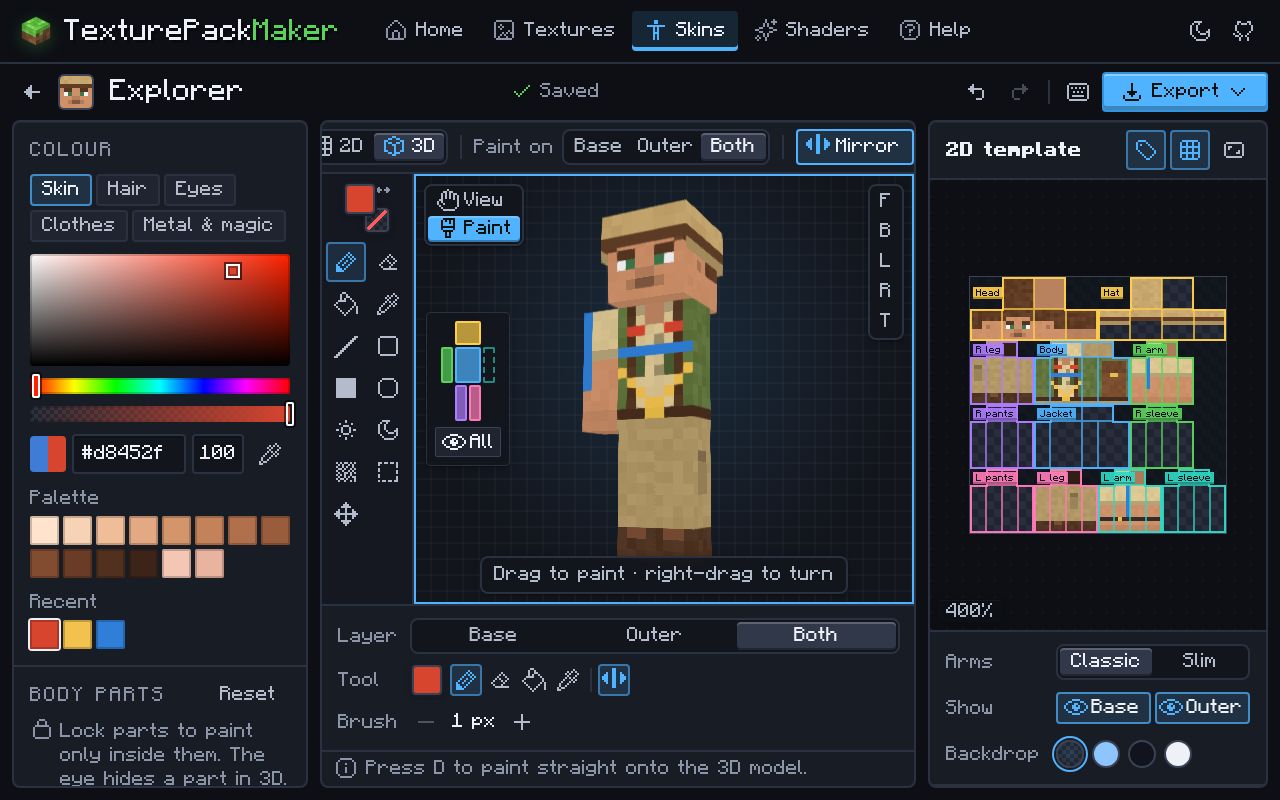
- Paint on the flat template or straight onto the 3D model, and hide body parts to reach every side.
- Start from a blank skin, a colour-coded template, original starter characters, an uploaded PNG, any Java player’s skin by username, or the default skins from the game files.
- Legacy 64×32 skins are converted to 64×64 when you open them.
- Export a Java
.png(plus a legacy 64×32 copy for 1.7.10 and older), or a Bedrock skin pack.mcpackholding one skin or a whole set, classic and slim mixed.
How to make a skin here
- Pick a starting point and the arm style (classic or slim).
- Paint on the template or right onto the 3D model. Use the outer layer for hats, jackets, sleeves and other details that stick out.
- Turn the 3D preview around to check every side.
- Export a
.pngfor Java or a skin pack.mcpackfor Bedrock. - Java: add it in the Minecraft Launcher under Skins. Bedrock: open the
.mcpack, then choose it in the Dressing Room.
Questions
What size is a Minecraft skin?
A 64×64 pixel PNG. Java 1.7.10 and older use the old 64×32 layout, and Bedrock also accepts 128×128 HD skins.
What is the difference between classic and slim skins?
Only the arms: classic (Steve) arms are 4 pixels wide and slim (Alex) arms are 3 pixels wide. Choose the same model when you upload the skin, or the arms will look stretched or cut off.
How do I use my skin on Bedrock?
Export a Bedrock skin pack and open the .mcpack; it appears under Classic Skins in the Dressing Room. You can also import a single PNG there. Consoles cannot import skin files. Full skin guide.
How do I make a custom skin pack?
Paint each skin as its own project, then choose Bedrock skin pack (.mcpack) and tick the other skins to add. Every skin keeps its own name and classic or slim arms, and exporting again updates the installed pack instead of adding a copy. More about the skin pack maker.
Why do my friends see a default skin?
On Bedrock, players who turn on Only Allow Trusted Skins see custom skins as default ones. It is a setting on their side.