Minecraft Skin Pack Maker
Paint or upload your skins, then download them together as one Bedrock .mcpack that Minecraft imports when you open it. Classic and slim skins can share a pack, and it is free, with no account and nothing uploaded.
What you can do
- Put one skin or a whole set in a single
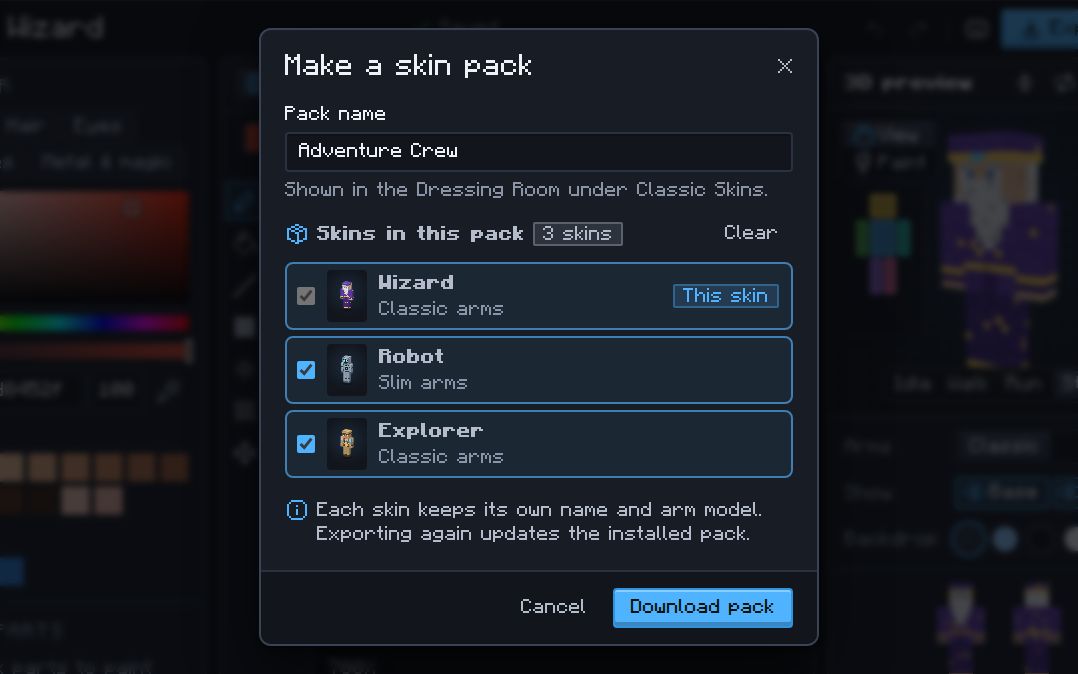
.mcpack, each with its own name. - Mix classic (Steve, 4-pixel arms) and slim (Alex, 3-pixel arms) skins in one pack.
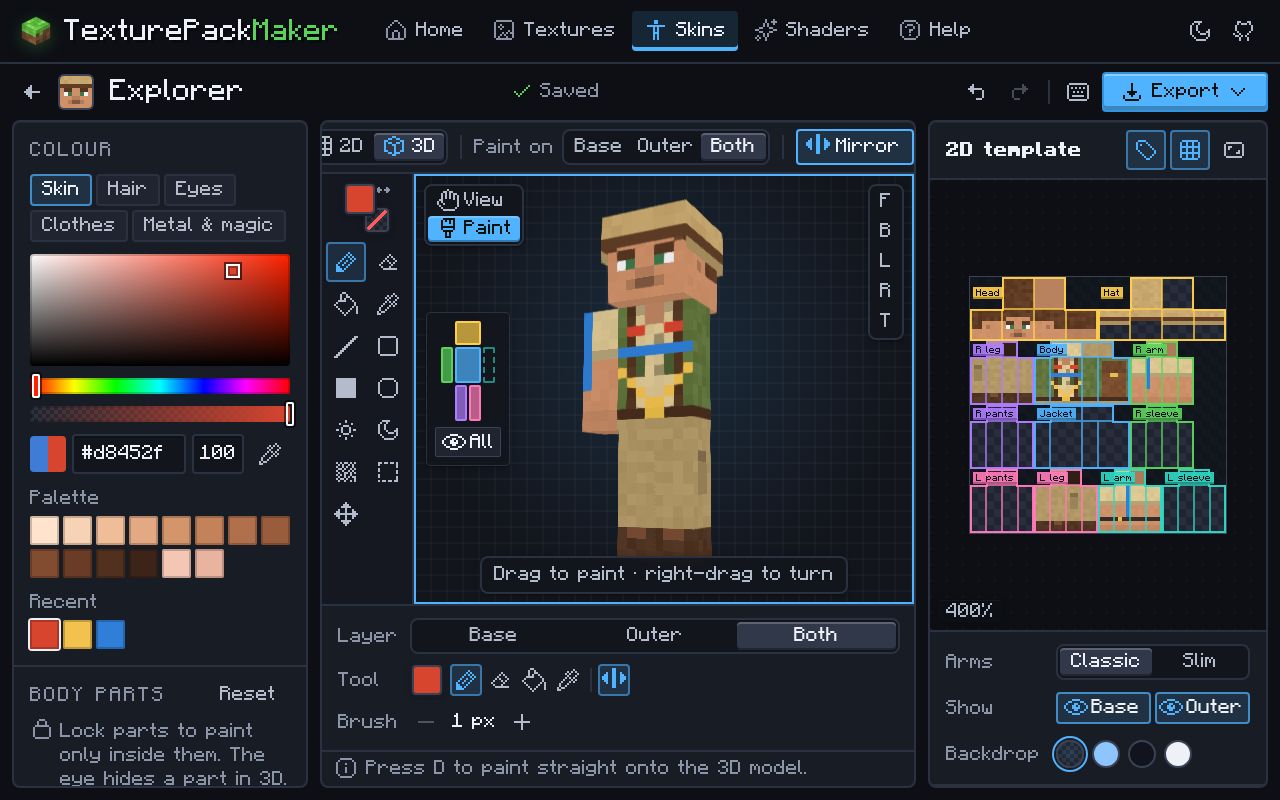
- Paint on the 64×64 template or right on the 3D model, with mirroring, part locks and both layers.
- Start from a blank or colour-coded template, an uploaded PNG (64×64 or legacy 64×32), any Java player’s skin by username, or the default skins.
manifest.json,skins.jsonand the language file are written for you, with fresh unique IDs.- Export again after a change and the installed pack updates instead of appearing twice.
How to make a skin pack
- Create a skin: pick a starting point and the arm style, then paint it. Every skin is saved on this device as its own project.
- Make the other skins you want in the pack the same way.
- Open one of them, choose Export › Bedrock skin pack (.mcpack), name the pack and tick the other skins to include.
- Open the downloaded
.mcpack: double-click it on Windows, or tap it and choose Minecraft on Android, iPhone and iPad. - In Minecraft go to Dressing Room › Classic Skins, find your pack, pick a skin and press Equip.
What is inside a Bedrock skin pack?
A skin pack is a zip file renamed to .mcpack. It holds a manifest.json (module type skin_pack), a skins.json that lists every skin with the classic (geometry.humanoid.custom) or slim (geometry.humanoid.customSlim) model, the skin PNGs, and texts/en_US.lang with the pack and skin names. More about skins and the template.
Questions
Do skin packs work on Java Edition?
No. Skin packs are a Bedrock feature. On Java you use one skin at a time: export it as a .png from the skin editor and add it in the Minecraft Launcher.
Can I use a custom skin pack on Xbox, PlayStation or Switch?
No. Consoles cannot import skin packs or skin files. Windows, Android, iPhone and iPad can.
Can one pack hold classic and slim skins?
Yes. Every skin keeps the arm model it was painted with, so classic and slim skins sit side by side in the same pack.
How do I update a skin pack I already imported?
Change the skins and export the pack again, then open the new file. The pack keeps its IDs and gets a higher version number, so Minecraft replaces the old copy.
Where do I find my skin pack in Minecraft?
In the Dressing Room under Classic Skins, listed by the pack name you chose. If it is missing, open the .mcpack again and wait for the “Successfully imported” message.
Why do my friends see a default skin?
Players who turn on Only Allow Trusted Skins see custom skins as default ones. It is a setting on their side.
Are my skins uploaded anywhere?
No. The skins and the pack are made in your browser and stay on your device until you share the file.